

Are you running an online shop? There are so many platforms are available for creating an online shop like Shopify, Joomla, etc… But, folks will always prefer the best CMS in the World – WordPress.
Creating an online shop using WordPress would take only 30 or 40 minutes. We could set up the shop, start adding products and make more sales right away!
Currently, there are 2 main plugins are available for starting an online shop inside WordPress. They are:
- WooCommerce.
- Easy Digital Downloads.
The first one (WooCommerce) is used for selling both physical and digital products. The EDD plugin is a dedicated one for selling digital goods.
However, how will you make more sales from your blog? You are missing one point. By tracking the user’s behavior, you would be able to convert all those shop visitors to loyal customers! Here’s how you could do it!
In this post, we are going to introduce you how to enable eCommerce enhanced tracking on your online shop using the MonsterInsights plugin!
Table of Contents
What Is MonsterInsights?
MonsterInsights is a freemium WordPress plugin which is used for integrating Google Analytics in WordPress. The plugin is created by Awesome Motive, Inc, which is also the developers of OptinMonster, WPForms, and SeedProd.
Currently, the plugin got more than 2 million active installations. The free version has some limits and the premium one will remove all those restrictions.
If you need to enable the enhanced eCommerce tracking, you need to get your hands on the premium version of MonsterInsights!
When You Need Enhanced eCommerce Tracking?
The enhanced tracking is another is a totally optional feature which is available in your Google Analytics account. By using the traditional tracking method, you would be able to see the popular products, poor performing products, etc of your blog.
But, the enhanced tracking would take your online shop to the next level.
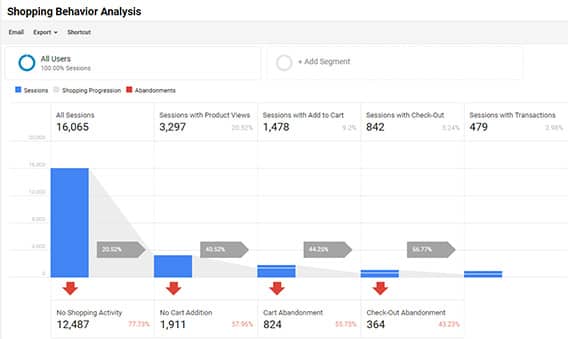
You could see the:
- Shopping Activity.
- Cart Additions.
- Cart Abandonment.
- Checkout Abandonment.
etc by enabling the feature!
On top of that, you could also enable Product lists performance.
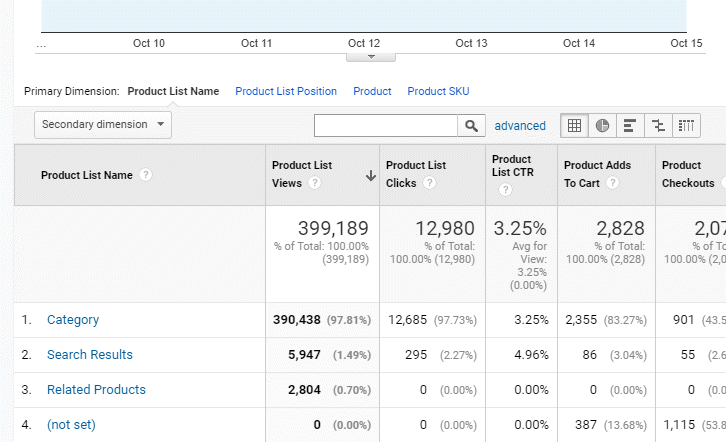
There, you could track the:
- Category.
- Search Results.
- Related Products.
etc…
Enhanced Tracking Can Be Done For…
- WooCommerce.
- Easy Digital Downloads.
- MemberPress.
Now, let’s see how we can set up the enhanced eCommerce tracking using MonsterInsights!
How To Enable Enhanced eCommerce Tracking?
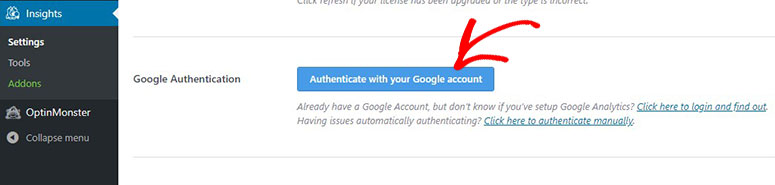
First of all, log in to your WordPress blog, install and activate the premium version of MonsterInsights. Then, authenticate the Google account which is associated with your analytics property.
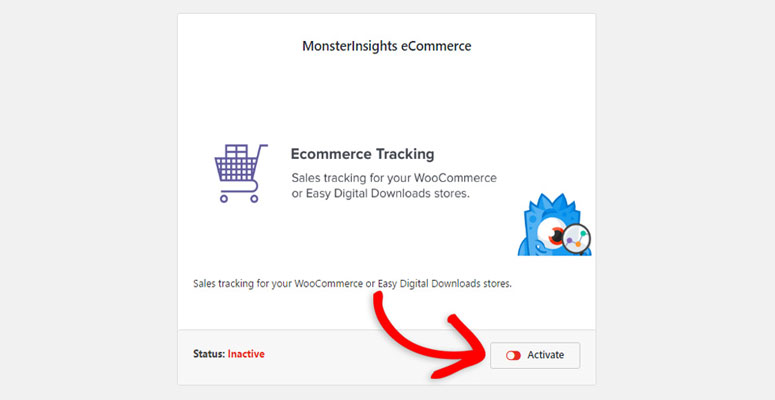
Activate the eCommerce tracking addon on your blog.
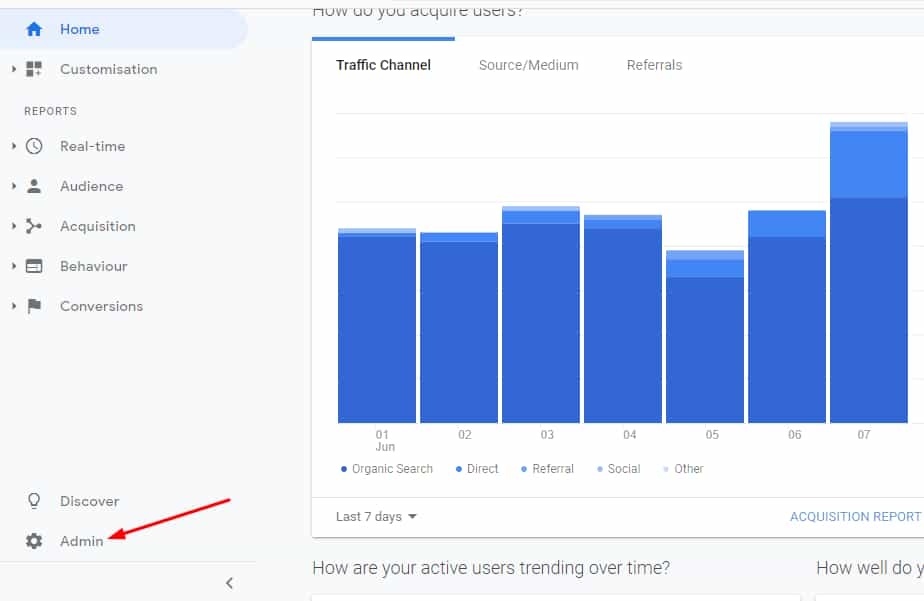
Now, you’ll need to log in to your Google Analytics account, choose the property that you need to use. Go to the admin settings.
There, in the property settings, you could see the eCommerce settings.
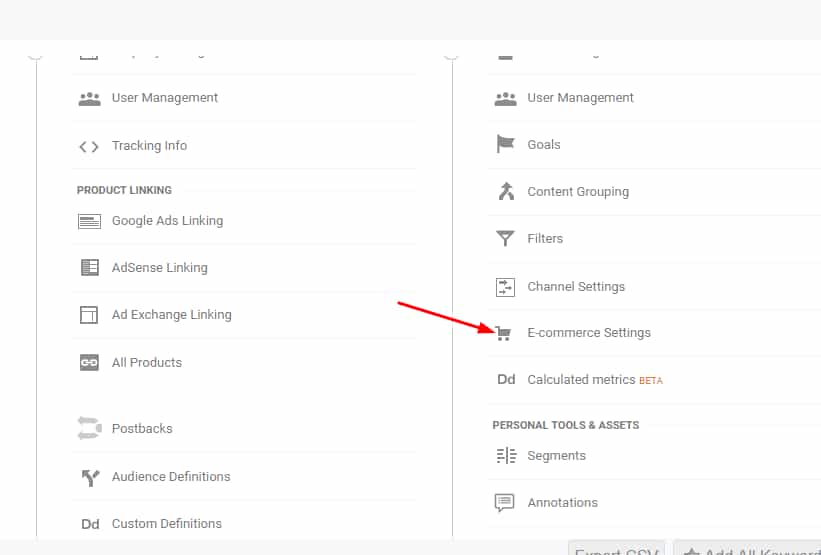
Click on it. The settings page will open.
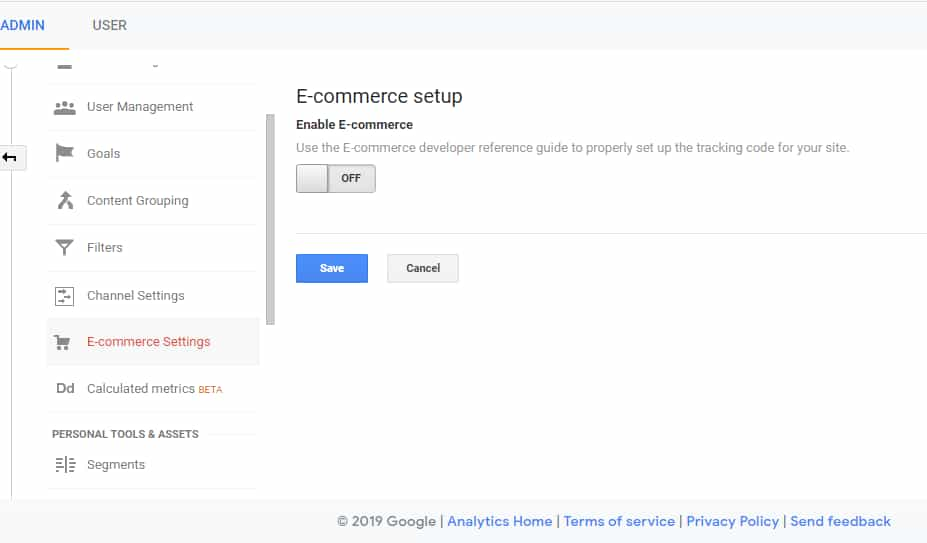
Simply enable the tracking. You will see an option to enable enhanced eCommerce tracking. Enable that too.
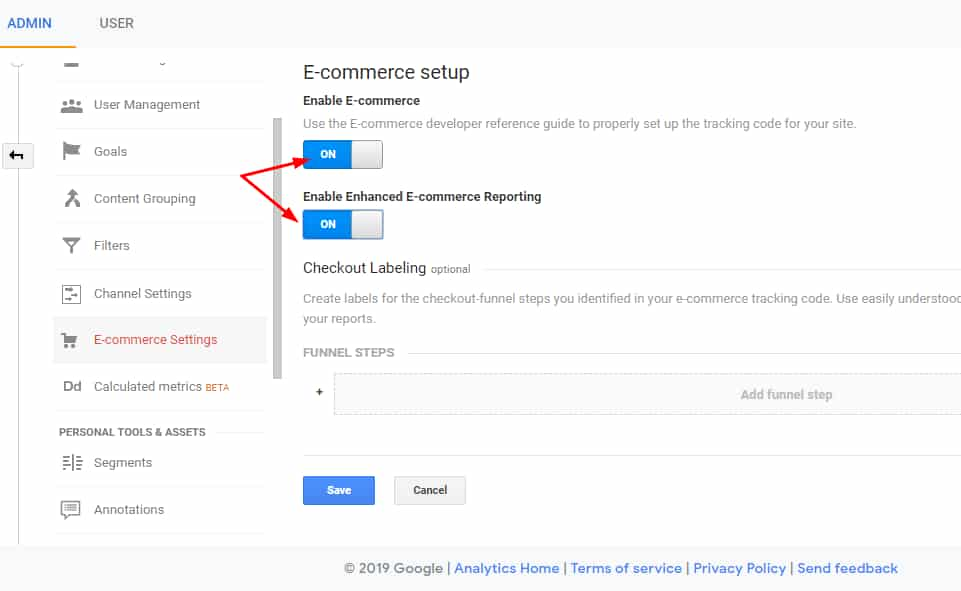
Save the settings.
Now, get back to your WordPress dashboard, MonsterInsights settings. Under the eCommerce settings, you could see an option to enable enhanced tracking.
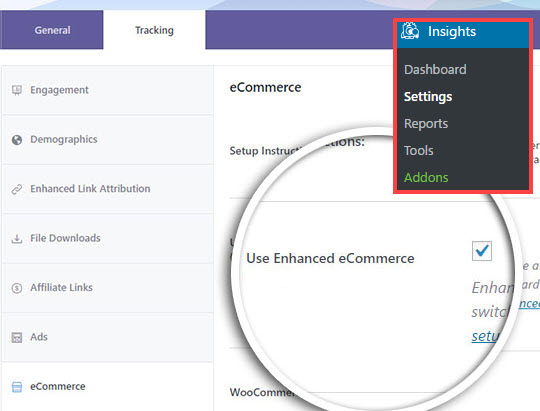
Enable the option and save the settings.
You are done! From now on, you would be able to see the complete reports in your Google Analytics account!
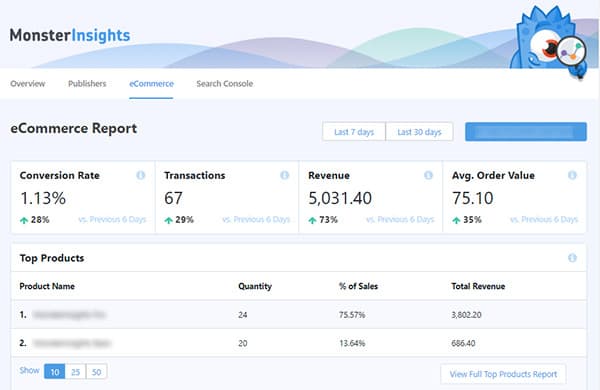
Also, the behavior of the shopper.
In simple words, you must use MonsterInsights if you need to generate more revenue, optimize your online shop.
If you want more advanced reports, you need to log in to your Google Analytics account see the product performance.
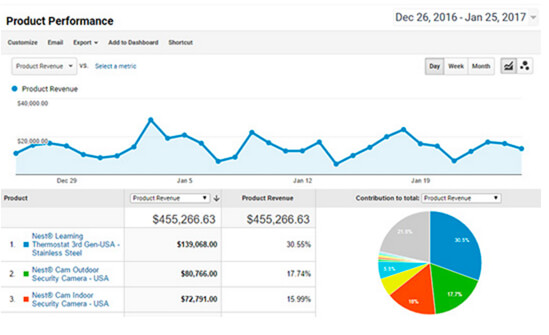
There, you could see them:
- Most Selling Product.
- Average Order Value.
- Conversion Rate.
etc…
MonsterInsights Pricing
Right now, the team is offering 3 premium plans for their customers.
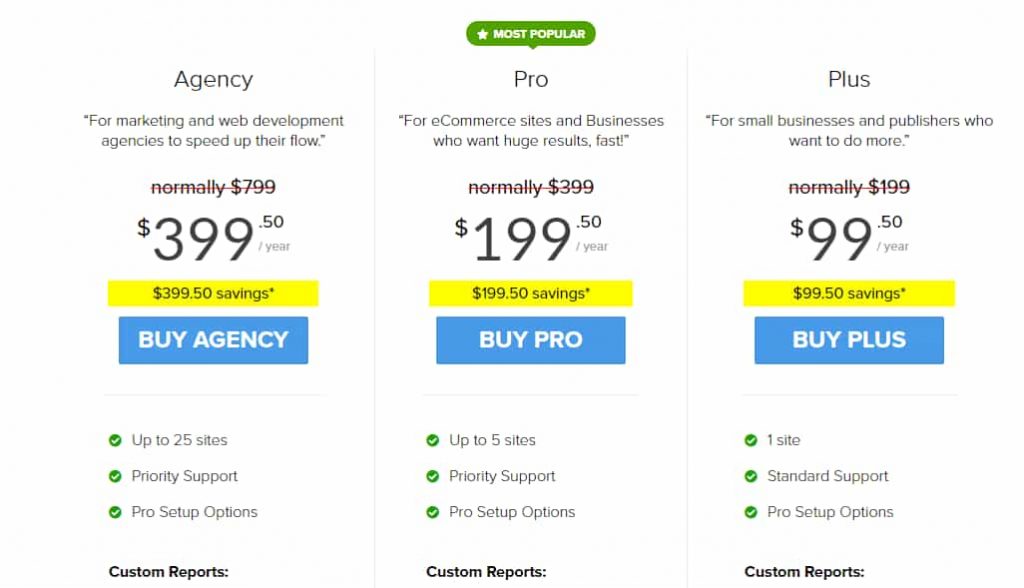
- Plus – $99.50 a year – Single Website License.
- Pro – $199.50 a year – 5 Websites Licenses.
- Agency – $399.50 a year – 25 Websites Licenses.
For the eCommerce reports and eCommerce tracking feature, you need at least the pro plan which costs $199.50 a year.
It’s a good investment. Studies say that every dollar you invest in analytics solution will be 13X in returns! So, we recommend you give a try for the MonsterInsights premium!
Get Started With MonsterInsights
You could see the plans and pricing of MonsterInsights from below!
Get Started With MonsterInsights (Valid Coupon Applied Automatically!)
We hope you found this post helpful and enjoyed the read. If you did, please consider sharing this post with your friends and fellow bloggers who runs an online shop.
It would probably help them to convert visitors to customers, generate more revenue from their shop!
I need to create an online shop. Should I choose WooCommerce or Easy Digital Downloads? Also, how about the SEO plugin, other important plugins?
WooCommerce is better than Easy Digital Downloads and you can set up easily too. Always Yoast SEO is the best SEO plugin in WordPress and other important plugins ill update soon. Thank you