


Are you an Amazon affiliate partner & did you know about the Amazon associates program working in country-specific?
with geni.us you can earn more money without doing any extra work.
In this post, you will learn about important things about the Amazon affiliate program that will help you earn more money.

Table of Contents
Yes, the Amazon Associates Program is Country-Specific
Most of the beginner & intermediate Amazon affiliates don’t know about this one factor. So they will lose the chance of getting more money.
Today I will share how you can use Geni.us and earn more money from the Amazon affiliates program.
Most of the Amazon affiliate partners don’t know about one thing:
- Amazon doesn’t pay you for a sale made in any other country than the one you signed up for.
Here is the list for you can create country-specific Amazon Associates profiles:
- USA: https://associates.amazon.com
- Canada: https://associates.amazon.ca
- United Kingdom: https://associates.amazon.co.uk
- Germany: https://associates.amazon.de
- France: https://associates.amazon.fr
- Japan: https://associates.amazon.co.jp
- India: https://associates.amazon.in
- Mexico: https://afiliados.amazon.com.mx
- Brazil: https://associados.amazon.com.br
What is Geni.us? How to start using Amazon Earnings
Geni.us easily localized your Amazon affiliate links so you do not need any special configuration setup.
Every single geni.us link will be automatically routed based on the region’s Amazon store, your affiliate link will be added every time, so you can earn every commission without losing.
You can create a free trial account and connect your affiliate program, you can see how this service how gonna use full to you.
Connect your Affiliate Program
Geni.us can auto-detect the country you are signed up for the Amazon affiliate program.
Just copy and paste into the address bar.
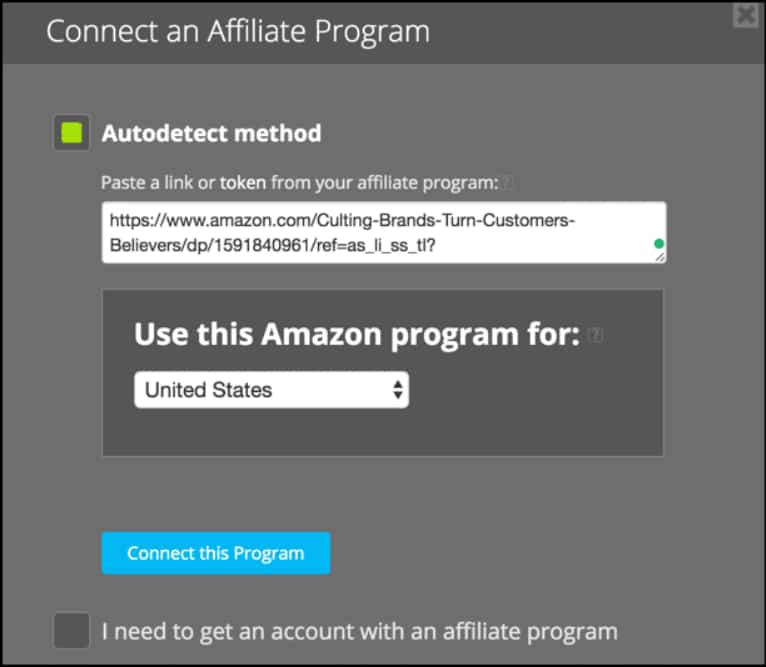
Copy your affiliate URL from the address bar it will auto-detect the region but do cross-check before clicking “Connect this program”.
Create Your First Link
Go to the “Links” section copy & paste your affiliate link.
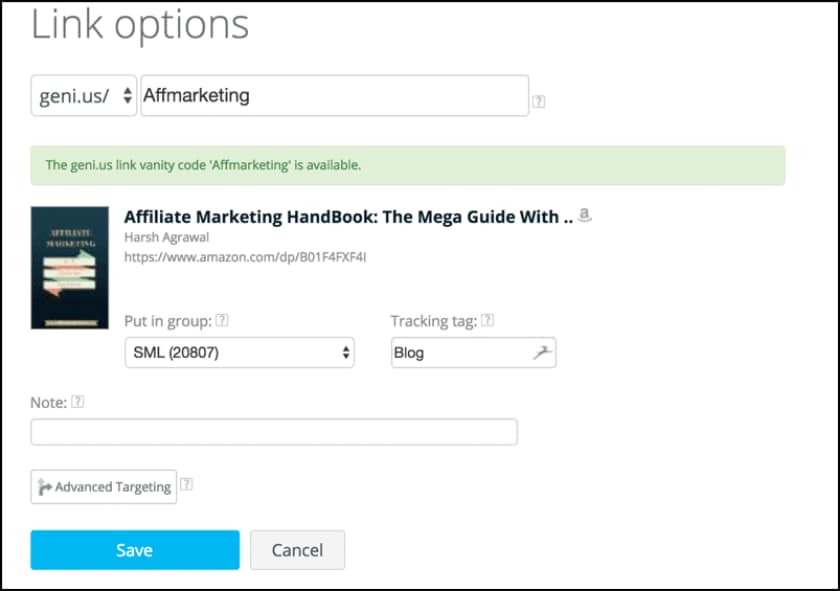
To learn how to create a global Amazon affiliate click here.
Integrating Geni.us with Your Website
There are multiple ways to integrate Geni.us on your website.
Javascript Method:
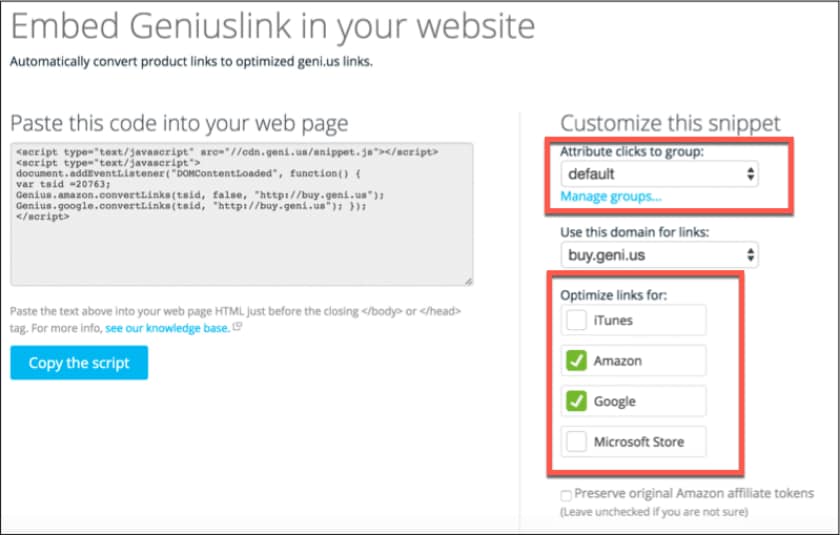
This easy method works on every platform including BlogSpot. Just copy and paste the codes before the closing </body> or </head> tag.
You can use the Google Tag Manager to manage all tags in one place.
If you have multiple websites for affiliates, you can use the “Group” feature.
WordPress Plugin (Amazon link Engine)
If you are a WordPress blogger, you can use the official Geni.us Amazon link plugin.
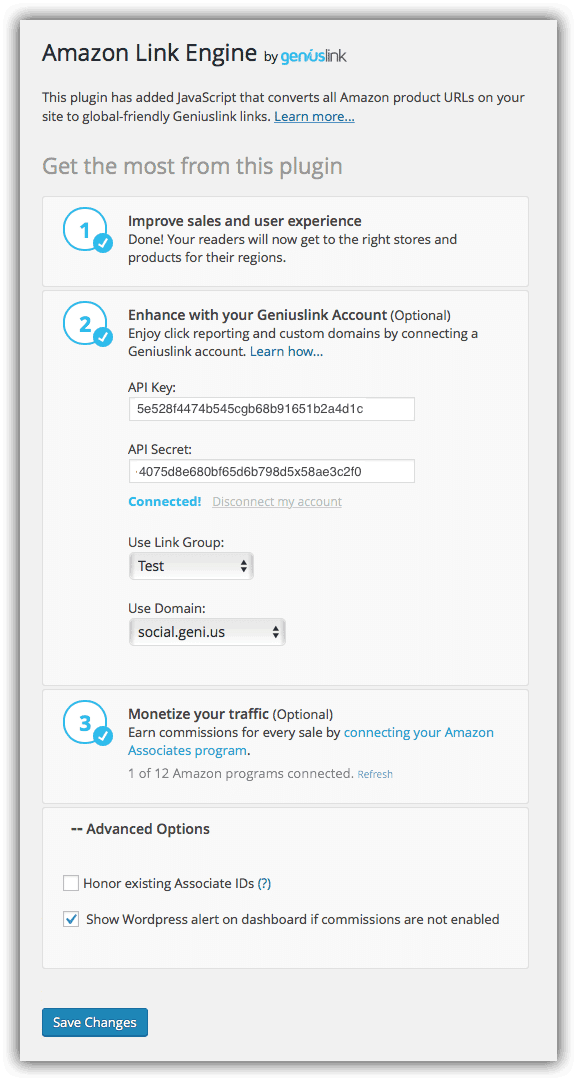
Go to “tools” create an API Key from your Geni.us account and configure the WordPress plugin.
After that, all existing links will automatically redirected to the Amazon affiliate program.
Click here to download the Geni.us Amazon WordPress plugin
Chrome Add-on
On the Amazon product page, you can create the Geni.us link directly through the Chrome add-on.
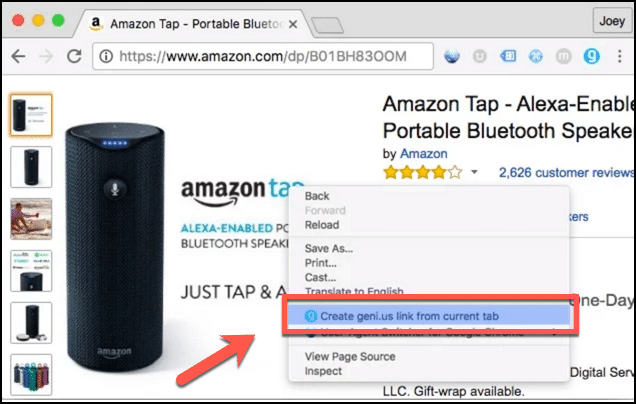
This method is useful if you do not want to use JavaScript or the WordPress plugin methods.
Geni.us Pricing
The Geni.us pricing is very simple you only pay based on the number of clicks.
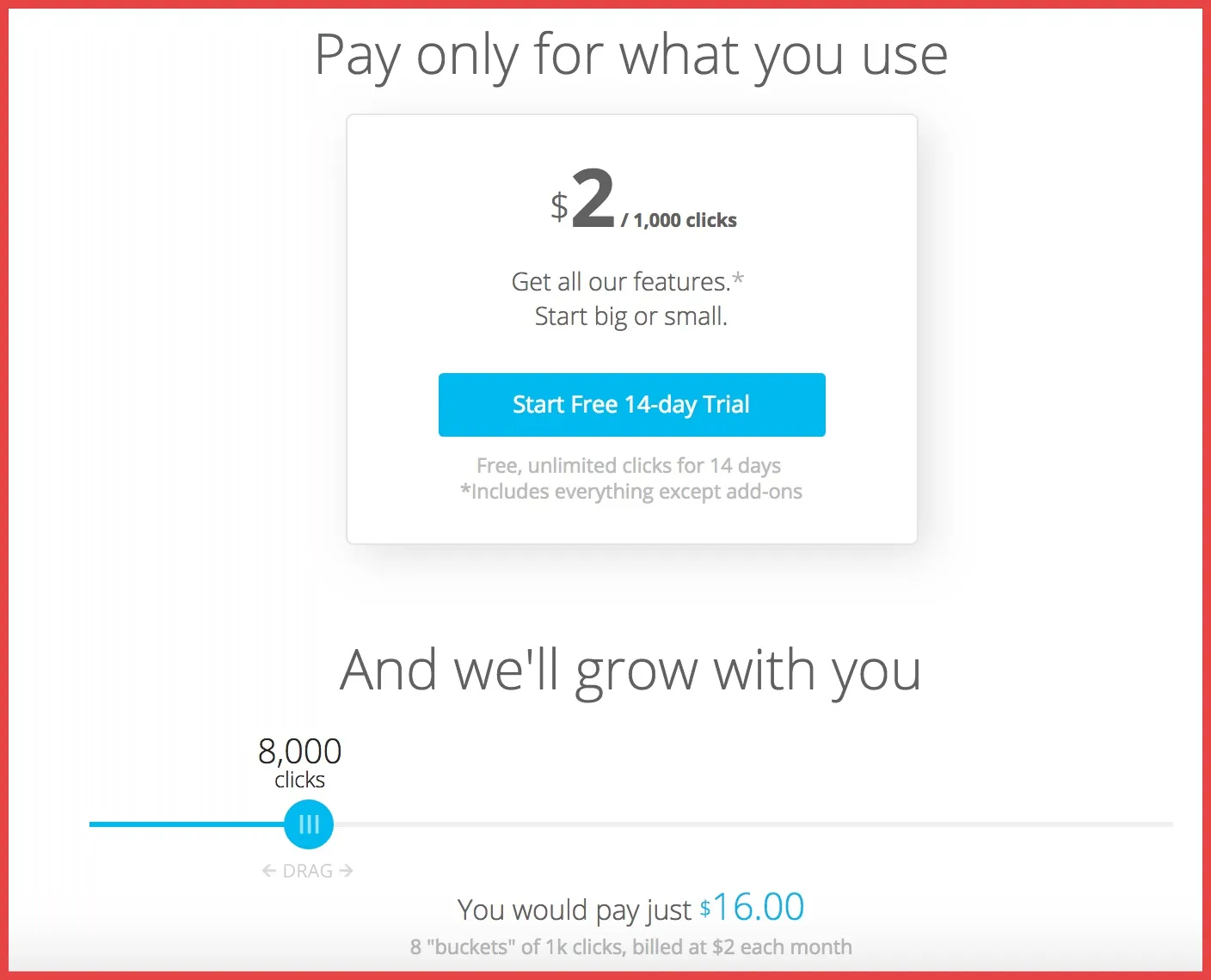
Also, you can try it for a free trial with unlimited clicks for 14 Days so you can try without losing a single penny.
Each Amazon affiliate should use the Geni.us tool to earn more money. Different from Amazon affiliates you can use this tool for various purposes.
For example, you can send the links to the users to different pages based on their device or geo-location.
Alternative WordPress plugin in Geni.us for AAWP. This plugin is not as powerful as Geni.us but, popular among Amazon affiliate marketers.
So give try on Geni.us and let me know your experience in the comment below.
If you like this post don’t forget to share it with your friends and follow it on Facebook and Twitter.
Here are some guides for WordPress blog